Highly Available Uptime Monitoring with Uptime Kuma
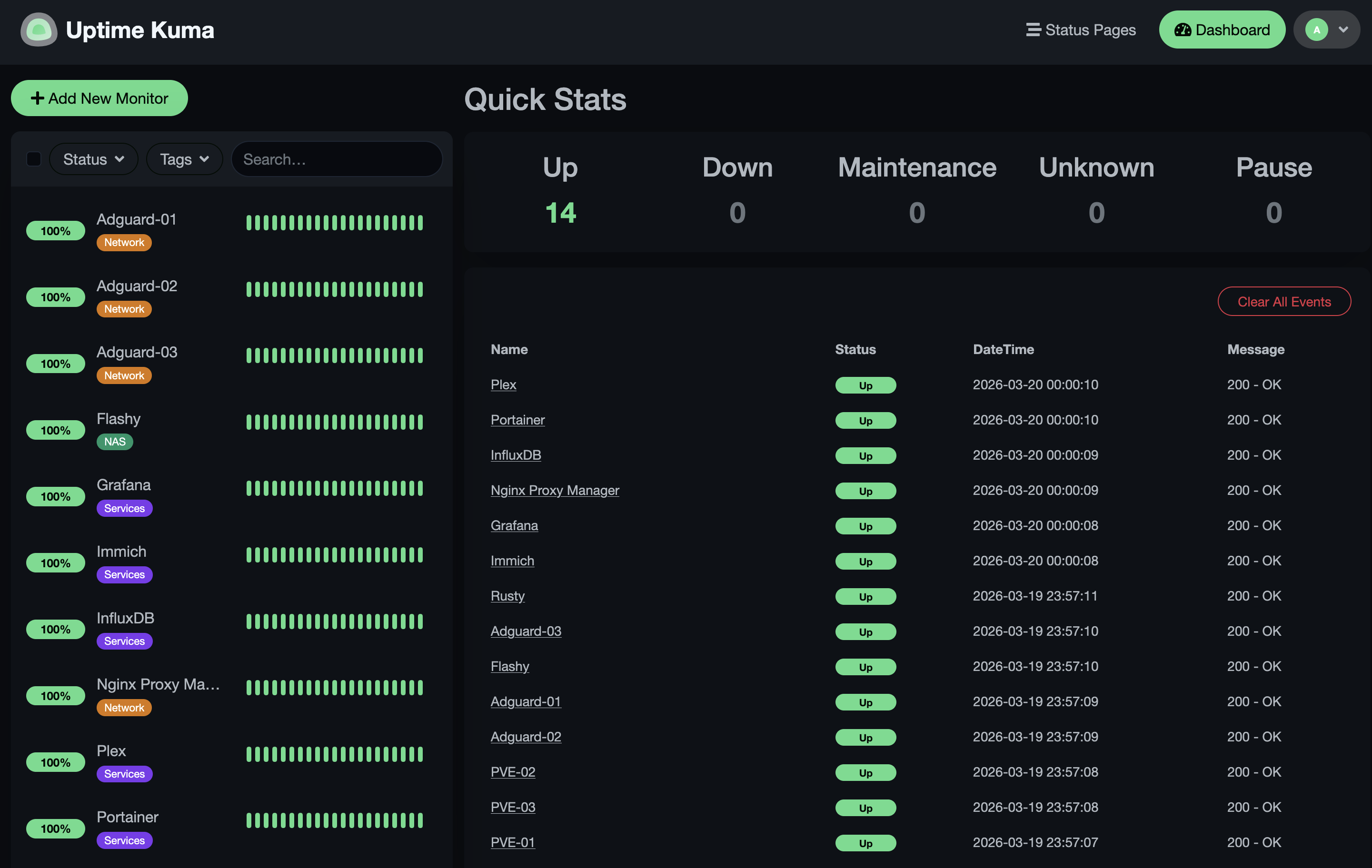
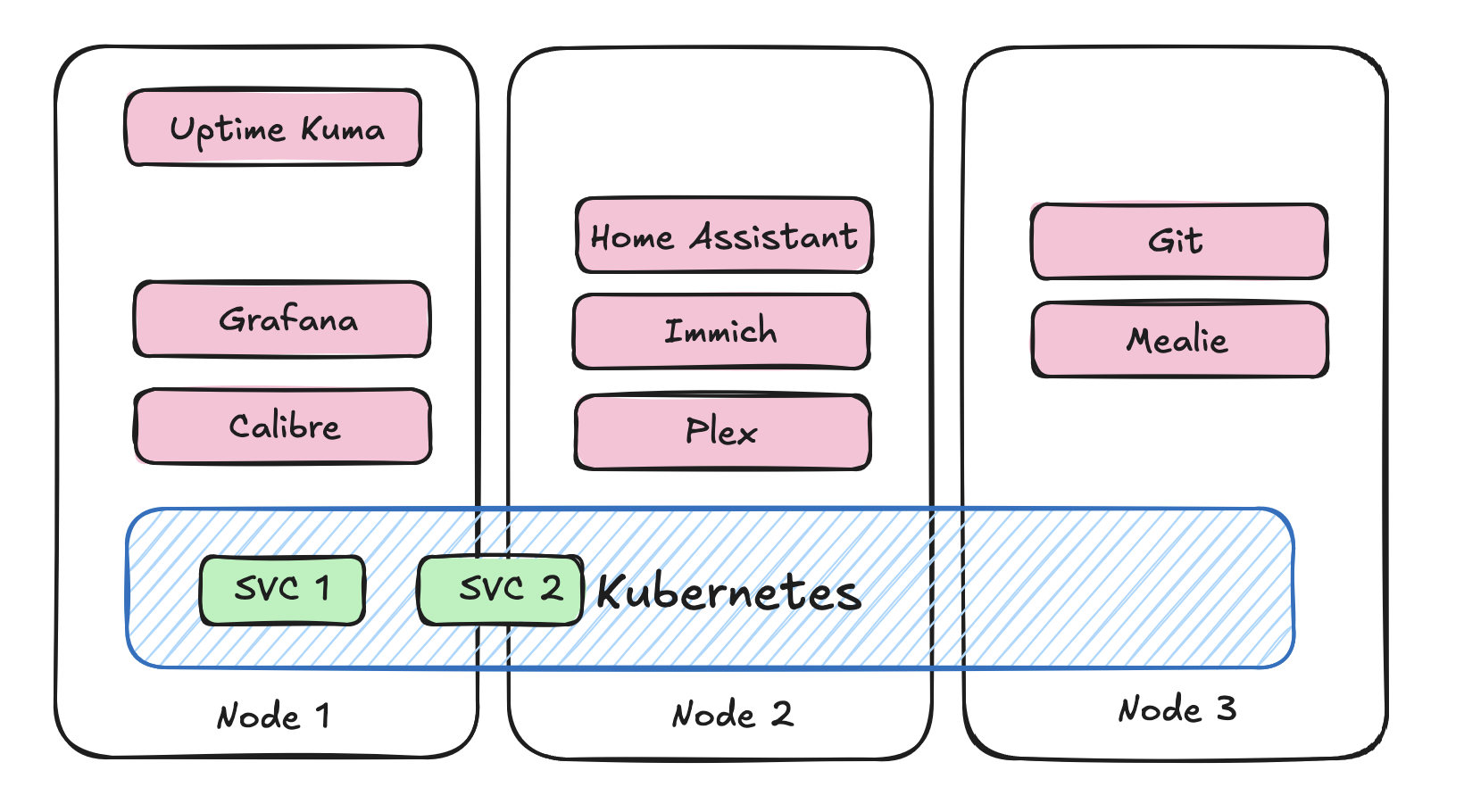
If you're running a homelab with a bunch of services, there's a good chance you've needed some uptime monitoring. One of the most popular tools for this is Uptime Kuma. It's an excellent self-hosted monitoring tool that lets you keep an eye on all your services, and send you alerts when something goes down. It was one of the first things I'd deployed in my homelab after people in my family started depending on some of the services I was running. It's super easy to set up, and I've been running it for several years in a docker container without any issues. If one of my services goes down, I get an alert through Telegram and can respond immediately. My previous setup looked like this:
High availability design
The trouble comes when you expand your homelab. Many of us start expanding out horizontally and start building out multiple node clusters. Now you become very aware that your uptime monitor is deployed as a single instance on a single node. If that node should ever go down, you won't even know about it. This just will not do, if one of the reasons you deploy services is to ensure they are always available. The trouble is, Uptime Kuma isn't really designed for this kind of deployment. It doesn't have any built in clustering or high availability features, and it relies on a local SQLite database to store all of its data. The most recent release of Uptime Kuma has added support for an external MariaDB database, which is great, but then your database becomes your single point of failure. If we're going to deploy Uptime Kuma in a highly available way, we need to make sure that both the application and the database are highly available.
In my setup, I don't really care much for the exact timings of each of the uptime checks, so I don't mind if each of the instances of Uptime Kuma are running independently and not sharing any state. This means that we can just deploy multiple instances of Uptime Kuma and have them all store their own data. This way, if one of the instances goes down, we still have the other instance running and monitoring our services. I'm shooting for a deployment that looks more like this:
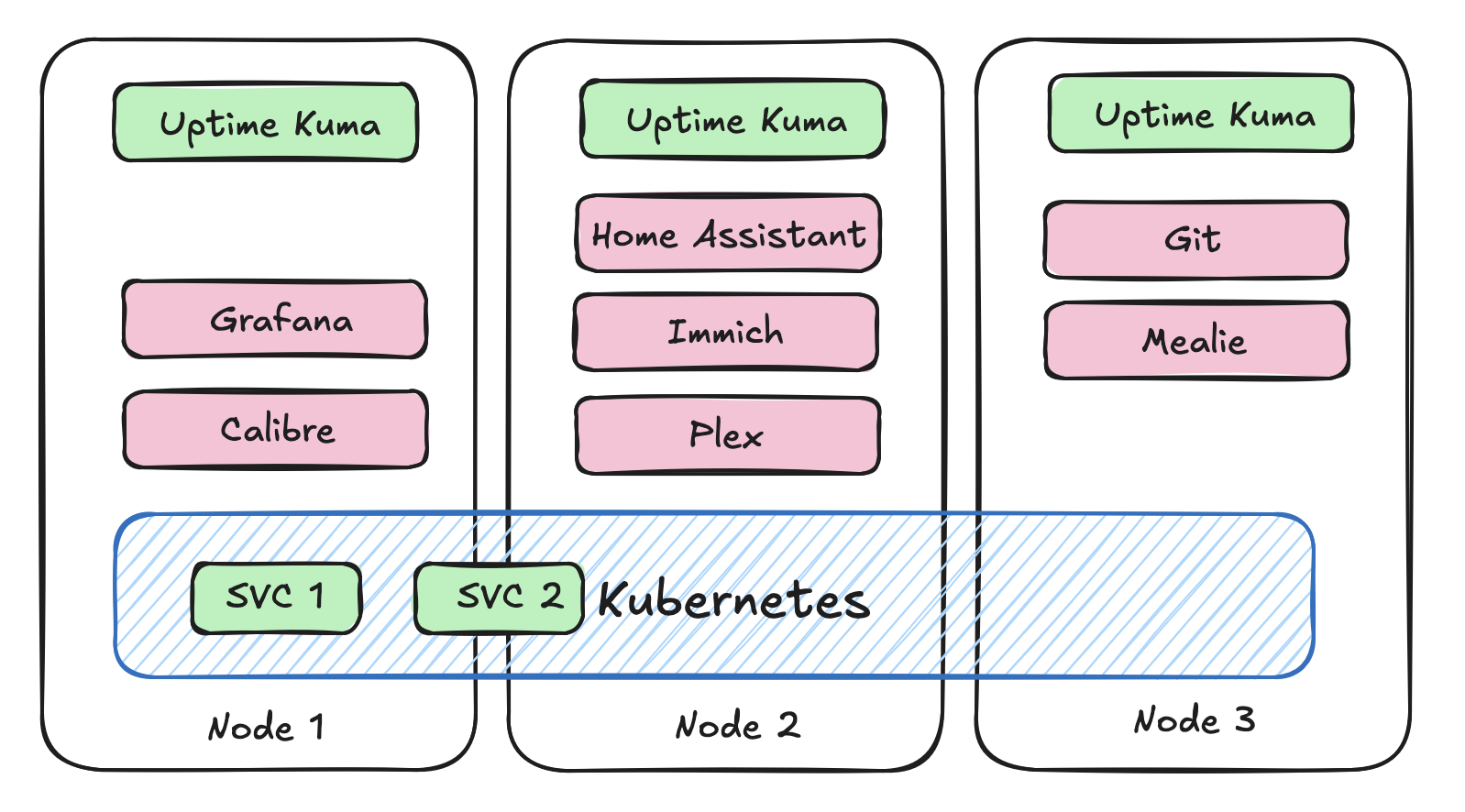
Once they're deployed, we need to set up high availability between them. There is a super simple approach to doing this that we can use. It's called keepalived. This is a Linux package that allows you to create a virtual IP address that can be shared between multiple instances. You can configure keepalived to monitor the health of each of the instances of Uptime Kuma, and if one of them goes down, it will automatically failover to the other instance. This way, we can ensure that we always have an instance of Uptime Kuma running and monitoring our services. I've got the following keepalived.conf file deployed with keepalived on each of the nodes. The priority is the only difference between the 3 instances, the one with the highest priority will be the one that is active and serving traffic, and the others will be in backup mode until the active instance goes down. So if I have 3 instances deployed at the following IPs [192.168.1.30, 192.168.1.31 and 192.168.1.32], I can access the current master instance at 192.168.1.33. Should my master go down, the one with the next highest priority becomes the new master.
vrrp_script chk_kuma {
    script "/usr/local/bin/check_kuma.sh"
    interval 5
    fall 2
    rise 2
}

vrrp_instance VI_1 {
    state BACKUP
    interface eth0
    virtual_router_id 51
    priority 120
    advert_int 1

    authentication {
        auth_type PASS
        auth_pass kumaHA
    }

    virtual_ipaddress {
        192.168.1.33
    }

    track_script {
        chk_kuma
    }
}
I check for the health of the Uptime Kuma instance by running a simple curl command to the local instance of Uptime Kuma. If the curl command fails, then keepalived will mark the instance as down and failover to the next instance.
#!/bin/bash

curl -fs http://localhost:3001 > /dev/null
Keeping everything in sync
Now assume we have 3 instances of Uptime Kuma deployed. How do we keep each of the instances up to date with the latest monitor configuration? Unfortunately Uptime Kuma doesn't provide a configuration file driven approach or expose a REST API to manage the monitors. Fortunately, there is a socket.io wrapper package called uptime-kuma-api-v2 that wraps the socket.io API into some python function calls. So we can use them to keep each of the monitors in sync with one another.
import yaml
from uptime_kuma_api import UptimeKumaApi, MonitorType

api = UptimeKumaApi('{UPTIME_KUMA_URL}')
api.login('{USERNAME}', '{PASSWORD}')

with open("monitors.yml", "r") as f:
    parsed = yaml.safe_load(f)
    monitors = parsed["configuration"]["monitors"]

    api_monitors = api.get_monitors()

    for monitor in monitors:
        if any(m["name"] == monitor["name"] for m in api_monitors):
            print(f"Monitor {monitor['name']} already exists, skipping...")
            continue
        result = api.add_monitor(
            type=MonitorType.HTTP,
            name=monitor["name"],
            url=monitor["url"],
            ignoreTls=monitor.get("ignoreTls", False)
        )
Now we can use a gitops style of approach to doing this. We can trigger a run of this every time the monitors.yml file is updated. Clearly this isn't doing anything to handle deletions or updates of monitors, but you get the idea.
Now we've got a highly available deployment of Uptime Kuma that can survive the failure of any one of the instances. The only issue I still have to deal with is I get 3 notifications every time I restart one of my services. Oh well, better to have too many notifications, than silence.